Now it’s time to bring my podcast to life. The preparation is done and the script is ready to go, but how do I get the best product? I did some research to find out.
Reading & Writing
The article “7 Secrets for Getting Pro-Sounding Vocals on Home Recordings” by Filippo Gaetani gives tips for someone who wants to record a podcast or any audio project at home. He says you first must mentally prepare, or “get in the zone,” meaning you should be ready to record with good energy. It’s best to record in a dry room with furniture, like a bedroom. You can even make your own audio booth using blankets, pillows, and mattresses to mimic a real studio. Gaetani says the position of the microphone is important. It needs to be an appropriate distance from your mouth. You can achieve this perfect placement by listening in headphones to what sounds best and does not peak. Even if you like the way the recording sounds, do it multiple times. The first take is never the best. When it comes to editing, he says to try to use chunks of your voice over rather than cutting it up and editing. You want the sound to be natural and not seem like it’s been heavily edited.

Another article “Sound Advice: Editing Audio for Video” on Videomaker’s website digs deeper into the editing process. They start by defining useful terms. A-roll is the primary footage and sound captured for the project. It has the required elements, like the news reporter or actor, and uses the best microphones. B-roll is supplemental footage that is gathered to add to the finished project. It helps tell the story or shows visual support based on what the talent is saying. When editing, they say to first put all the a-roll into a timeline and edit it in a sequential order that tells the story. Then you can trim the video and audio, apply transitions and effects, and cut out stutters. It’s important to listen to the audio to catch mistakes and poorly done transitions. To give the project a certain tone, you can also add music and sound effects. After the audio is edited, they say to focus back on the video, checking for jump cuts, transitions, and framing.
Research to Inform
Since I’m creating my own podcast, it’s important to understand how important audio is to any project. I found some content examples where the audio helps elevate the story.
Apple Watch 911 Commercial
This is a commercial for the Apple Watch, but it’s not what you’d think. It’s sharing how an Apple Watch can save someone’s life by calling 911. It plays multiple real 911 calls that were made from a watch. Accompanied by music, the audio of the calls are extremely emotional. For anyone who’s been in an emergency situation before, it brings you back to that moment. Even though there is a text transcription shown, the audio makes the commercial persuasive and memorable.
Love Story (Taylor Swift) Music Video
Since this is a music video, the audio is key to telling the story, but the visuals help too. Without the audio, this would basically be a silent movie. Since the plot of the video switches between timelines, anyone watching it would be confused. The words make the story possible. When they are accompanied by the video, the project encapsulates the viewer.
Hugo Movie Scene
This scene from “Hugo” uses audio to make the visuals feel more real and intense. When Hugo is in the tracks and the train begins to come, the music gives a sense of urgency. It leaves the viewer on the edge of their seat wondering what will happen. The sound effects of the train also bring the scene to life and make you feel like you are there. As for the voices of the actors, you can hear the worry the train workers feel based on the way they are talking, furthering my point that the audio enhances the plot. Overall, this entire movie is full of visually pleasing scenes with audio that helps to tell the story.
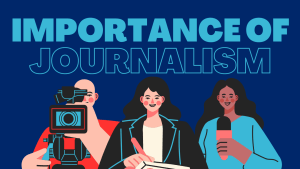
Importance Of Journalism Podcast
The time has come to put all this knowledge into practice. Using only my iPhone and a pair of headphones, I recorded my script. Then I found upbeat, urgent music to fit the tone of the podcast on Free Music Archive. The sound effects I used are all from Free Sound. Using Adobe Audition, I cut my voice over and interviews, and was able to adjust the volume to avoid peaking. Here is the finished product.
Making this podcast was a really fun project for me. I took a whole podcast class last year during my undergrad at Quinnipiac University, so it was exciting to use those skills again as a graduate student. This is a topic I am extremely passionate about because I have wanted to be a journalist my entire life and now work in a newsroom every day. I think it’s an important topic for people to understand because a world without journalism could be a disaster.
 Katie Coen
Leave a comment