
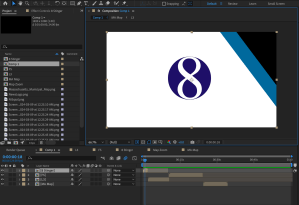
To show off all the skills I learned throughout the past 7 weeks, I planned and created a series of animated graphics that could be used during a news broadcast.
Reading & Writing
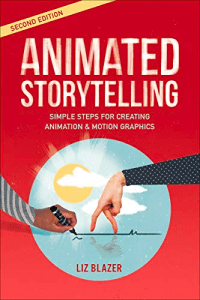
In the final chapter of “Animated Storytelling,” Liz Blazer explains the steps to take after an animation project is completed. She says a creator must package all their content professionally. It should include a title logo, synopsis with a hook, tagline, biography about the director, and the story of the film. This will be useful at film festivals.
Then one must decide where the film will be shown. It can be at a film festival or online, but the decision should be made strategically, keeping the target audience in mind. Some projects are better released online because film festivals can be competitive and want very specific types of content. It’s also important to network the film online. Another way to network is to connect with peers, be supportive of other content, release teases to get viewers excited, and meet others in person at events and conferences.
Reflection
I’ve spent 7 weeks working with different forms of animation and creating some pretty cool content. I feel like I have learned so much about what I can do in different Adobe programs, especially After Effects. Before this class, I had used After Effects to animate years ago and had since only used templates that were easy to edit. Now I feel confident that I could create anything ranging from GIFs to stop motions to animated logos and UI designs. I still have a lot of learning to do, especially since graphic design has never been my speciality, but I have a better understanding of all the features After Effects can be used for. With these new skills, I can create projects in my free time to get my creative juices flowing and can also use the transferable skills in my career. As a journalist, having knowledge about graphics and animations could take my stories to the next level. Animated text and motion tracking could make a boring news package more interesting, especially if there is little video to show. Overall, the knowledge I gained and work I created for this course will absolutely be useful in the future.
Research to Inform
Before working on my own news graphics package, I found some examples of videos from real news stations that show off their graphics.
Create
Here it is! I created five graphics that could be used in a news broadcast. They include…
- Animated stinger
- A lower third
- A fullscreen with bullets
- A fullscreen with a map
As someone who works in news, this was a really fun project to execute. At work every day, I customize graphic templates to convey information during my show. This allowed me to create my own look for graphics that I could also easily customize with text.
I started by making my own fake news station logo in Adobe Illustrator. That is used in all the lower thirds and the stinger animation for branding.
Then I created an animated stinger with keyframes. I used three boxes and animated their positions with the keyframes. I also edited the time with the Speed Graph and made the logo increase in size to add more motion. A Youtube tutorial helped with this one.
The lower third, fullscreen, and map were also made with keyframes changing the position, scale, and opacity. I used motion blur to make the movement smoother. I also added sound from freesound.org here to make it more exciting.
Overall, I think this short sample of news graphics came out well and show off some of the many skills I have learned on Adobe After Effects.
 Katie Coen
Leave a comment