
The next phase of learning about animation takes us to interface motion. Interface animations show a digital scene play out and can be edited using Adobe After Effects. Here’s the research I used to get started.
Reading & Writing
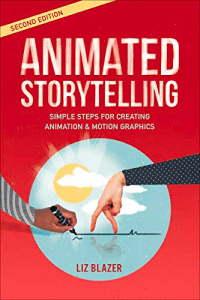
Chapter 10 of “Animated Storytelling” by Liz Blazer focuses on the big animation project. She walks the reader through how they should begin their animation and takes them along the process. She says to first make a production calendar to mark all deadlines then make sure the technology being used is up to date. When it’s time to start animating, do the short and easy scenes first. Then Blazer says to break up the tougher scenes into small chunks. While animating, make sure all the shots are worth it and have a purpose because the animation process is very time consuming. Blazer says to use movement strategically by making sure a character’s common poses reflect the storyline. An animator should also follow through with the motion of the characters by showing the momentum to make all movement look natural. Directional movement must also be taken into consideration. Since all animations move along an invisible direction path, like horizontal or vertical, one must be mindful of how the movements impact the emotional experience of the scene. When the animation is done, it’s time to add sound. Blazer says to be flexible with the soundtrack and be open for change as the animation plays out. She also notes the soundtrack can be adjusted to make room for emphasis on sound effects and dialogue.
Research to Inform
Create
To make my own UI animation, I started with a storyboard of what I wanted to create. I came up with an idea to make a digital to do list that would animate throughout a scene. I used Adobe After Effects to make all the shapes and text, then animate them over the course of 15 seconds. I also added sound effects from freesound.org and music from Free Music Archive to make the animation more interesting to watch.
Because I don’t have much experience with UI animation, I kept this really simple. In the future, it would be interesting to add a device with an animation on the screen. Overall, this was a fun animation to create while practicing my After Effects skills.
 Katie Coen
Leave a comment