
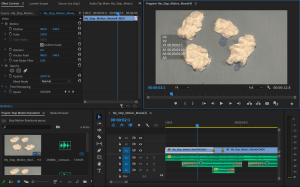
Over the last week, I planned and executed my own stop motion animation. Here is all the research leading up to my creation.
Reading & Writing
Chapter 7 is all about sound and how it can be used in animations. Liz Blazer says sound helps tell a story and it should be planned out in pre-production just like the motion graphics. Diegetic sound comes from something that is happening in the scene while non-diegetic sound is not visible in the world of the animation. This can be music, sound effects to add comedy, or a voiceover of a character. Blazer explains multiple different ways to incorporate sound into animations. Sound effects can add to a story as long as they are used sparingly. Music can set the tone and guide the audience’s journey through the animation. Dialogue tells the story through the character’s words and can also set the mood of scenes. Meanwhile, narration and voice overs can give the audience clues about what is happening. Blazer says to keep narrations short and clear in motion graphics.
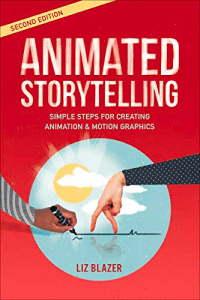
In chapter 8, Blazer discusses the design wonderland and explains how animation can be used to create a new world. You can create any situations or chaos you want, as long as you stick to the rules of your new world. Blazer says it’s smart to borrow ideas and inspiration from other stories you love. Then you can start your planning by establishing a time and place for your animation. One must then decide on the physical, social, and visual order. The physical order is how the world works. The social order breaks down the social laws and norms in that world. Finally, the visual order relates to how things look there based on things like color, shape, space, and contrast.
Research to Inform
Effective Audio Examples
Effective Text Animation Examples
My Stop Motion Animation
Last week, I planned two options for stop motion animations to bring to life. I chose to pursue my idea about a changing weather event. It was quite the crafts project, but I had a lot of fun making it.
To start, I used my phone to take 95 pictures to bring my animation to life. I used Adobe Premiere Pro to edit them together at 12 frames per second. Then I added the planned music and sound effects from freesound.org and Free Music Archive to make the story feel real for the viewer. Without the sound, this animation would be extremely boring to watch. I also added a flash effect to emphasize the lightning. In Adobe After Effects, I added text at the end of the animation with the title and some information. I used a preset effect to have the text slowly appear.
As I mentioned, this was a really fun project to put together. My storyboarding and pre-production planning helped with the execution and I’m happy with the way my stop motion animation came out. It’s simple but tells a linear story with sound that emphasizes the important moments.
 Katie Coen
Leave a comment